
7 Websites to Download Free Icons for Design and Development

Seven websites to download free icons for design and development, from Flaticon and Icons8 to Feather, Material Icons and Font Awesome.
Good icons make interfaces easier to scan, buttons easier to understand and pages more polished. You don’t need to draw them yourself, either: there are excellent libraries of free icons for websites, apps and presentations, many of them suitable for commercial projects.
In this guide, we’ll cover seven websites to download free icons for design and development, what each one does best and how their licences work. Then we’ll share a few tips for using icons well on a real website.
Quick Answer: The Best Places to Download Free Icons
| Site | Best For | Free Licence |
|---|---|---|
| Flaticon | Huge choice of styles | Free with attribution |
| Icons8 | Matching sets in many styles | Free with a link back |
| iconmonstr | Simple, consistent icons | Free to use, check the terms |
| Feather Icons | Clean open source line icons | Open source (MIT) |
| Material Icons | Google’s UI symbols | Open source (Apache 2.0) |
| Font Awesome | Web icon toolkit | Free tier plus Pro |
| Noun Project | Concept and community icons | Free with attribution |
1. Flaticon
Flaticon is one of the largest searchable libraries of free icons in the world. It offers editable vector icons in a wide range of styles, from line and solid icons to colorful illustrations, so it’s easy to find a set that matches your brand.
Most icons are free to use in personal and commercial projects as long as you credit the author. A premium plan removes the attribution requirement and unlocks more icons.
2. Icons8
Icons8 offers a huge library of icons in dozens of consistent styles, such as iOS, Material, flat color and hand-drawn. Because each style covers thousands of concepts, it’s a good choice when you need many icons that match each other.
You can use the icons for free if you link back to Icons8 on the page or in the product that uses them. Otherwise, a paid licence removes that requirement and gives you more formats.

3. iconmonstr
iconmonstr is a growing collection of simple, monochrome icons run by a single creator, designer Alexander Kahlkopf. Because one person designs them all, the set is unusually consistent, which makes it ideal for clean, minimal interfaces.
The icons are free to use, but as with every library, read the licence page before using them in a product.

4. Feather Icons
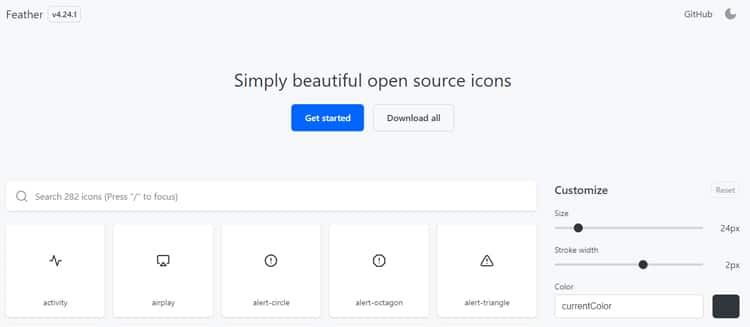
Feather is a collection of open source line icons, each designed on a 24×24 grid with an emphasis on simplicity and consistency. It’s released under the MIT licence, so you can use it freely in commercial projects.
Feather is a favorite with developers because the icons are lightweight SVGs. If you need more icons in the same style, Lucide is an actively maintained community fork of Feather with a much larger set.
5. Material Icons
Material Icons are Google’s open source symbols for common actions and items, designed for Android, iOS and the web. They’re now available as Material Symbols, a variable icon font that lets you adjust weight, fill and size.
Because they’re released under the Apache 2.0 licence, you can use them freely, and they’re especially useful for app interfaces and dashboards.

6. Font Awesome
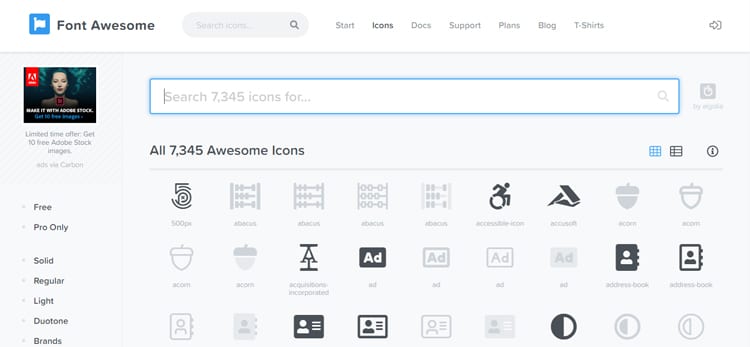
Font Awesome is one of the most widely used icon toolkits on the web. Originally created by Dave Gandy, it lets you add icons with a simple class name or as SVGs, and it includes brand logos as well as interface icons.
The free tier covers a large set of icons for any project, while Font Awesome Pro adds more styles and icons. It’s a practical choice when you want icons available quickly across a whole site.
7. Noun Project
Noun Project is a community-built library with an enormous range of icons, including abstract concepts that are hard to find elsewhere. New icons are added by its creator community every day.
Icons are free to use with attribution to the creator. Alternatively, a paid subscription lets you use them without credit.

Honorable Mentions
A few more libraries are worth bookmarking. Iconfinder offers both free and premium icons from many designers, while IcoMoon lets you build a custom icon font from the icons you need. Fontello does the same for several open source sets. Heroicons and Phosphor are also excellent open source sets, particularly for modern web interfaces.
How to Choose and Use Free Icons on a Website
Downloading free icons is the easy part. Using them well takes a little more care.
Check the Licence
“Free” can mean very different things. Some icons need attribution, some can’t be used in logos and some only allow personal use. So read the licence before you use an icon in a commercial project, and keep a note of where each set came from.
Stick to One Style
Mixing line icons, solid icons and colorful illustrations makes a site look inconsistent. Instead, choose one set, or a few sets in the same style, and use the same size and stroke weight everywhere.
Use SVG Where You Can
SVG icons stay sharp on every screen, can be recolored with CSS and are usually tiny. For a handful of icons, inline SVGs are often lighter than loading a whole icon font.
Make Icons Accessible
Decorative icons should be hidden from screen readers. Icons that act as buttons, on the other hand, need an accessible label, so everyone knows what they do. In general, pair important icons with a visible text label.
Frequently Asked Questions
Can I use free icons in commercial projects?
Often, yes, but it depends on each library’s licence. Open source sets such as Feather and Material Icons allow commercial use, while others require attribution or a paid plan.
Do I need to credit free icons?
Some libraries, such as Flaticon, Icons8 and Noun Project, require credit unless you pay for a licence. Open source sets usually don’t, although keeping their licence file is good practice.
Are icon fonts or SVG icons better for websites?
For most sites, SVG icons are the better choice. They’re sharper, more accessible and lighter when you only need a few. Icon fonts are convenient when you need many icons quickly.
Final Thoughts
Free icons can make a website clearer and more polished, as long as you pick a consistent style and respect each licence. Start with one of the libraries above, keep your icon style uniform and use SVGs where possible.
If you’re turning a design into a WordPress site, our guide to Figma to WordPress shows how we build icons and other design details into a fast block theme. And if you’d like help with the build itself, see our WordPress development services.